What Is Remix Studio
Remix Studio is a self-hosted AI assistant workspace for orchestration, batch content generation, and social campaign planning, with a built-in assistant that runs on your own OpenAI, Claude, Google AI, Alibaba Cloud, Kimi or MiniMax provider. Instead of prompting one asset at a time, you build workflows from reusable libraries plus direct text, image, video, and audio inputs, then let the app expand those inputs into draft sets you can run as full combination sweeps or randomized samples.
It combines four layers in one product:
- An in-app assistant for planning and operating workflows.
- A project system for composing workflows from library-backed and direct inputs.
- A campaign workspace for scheduling and publishing social posts.
- A background execution stack for queueing, storing, exporting, and delivering results.
The same shared tool layer also powers MCP access, so clients like Claude and Codex can help create libraries, inspect albums and model availability, and assemble projects around the same workflow model used in the UI.
Built with Google AI Studio and Antigravity.
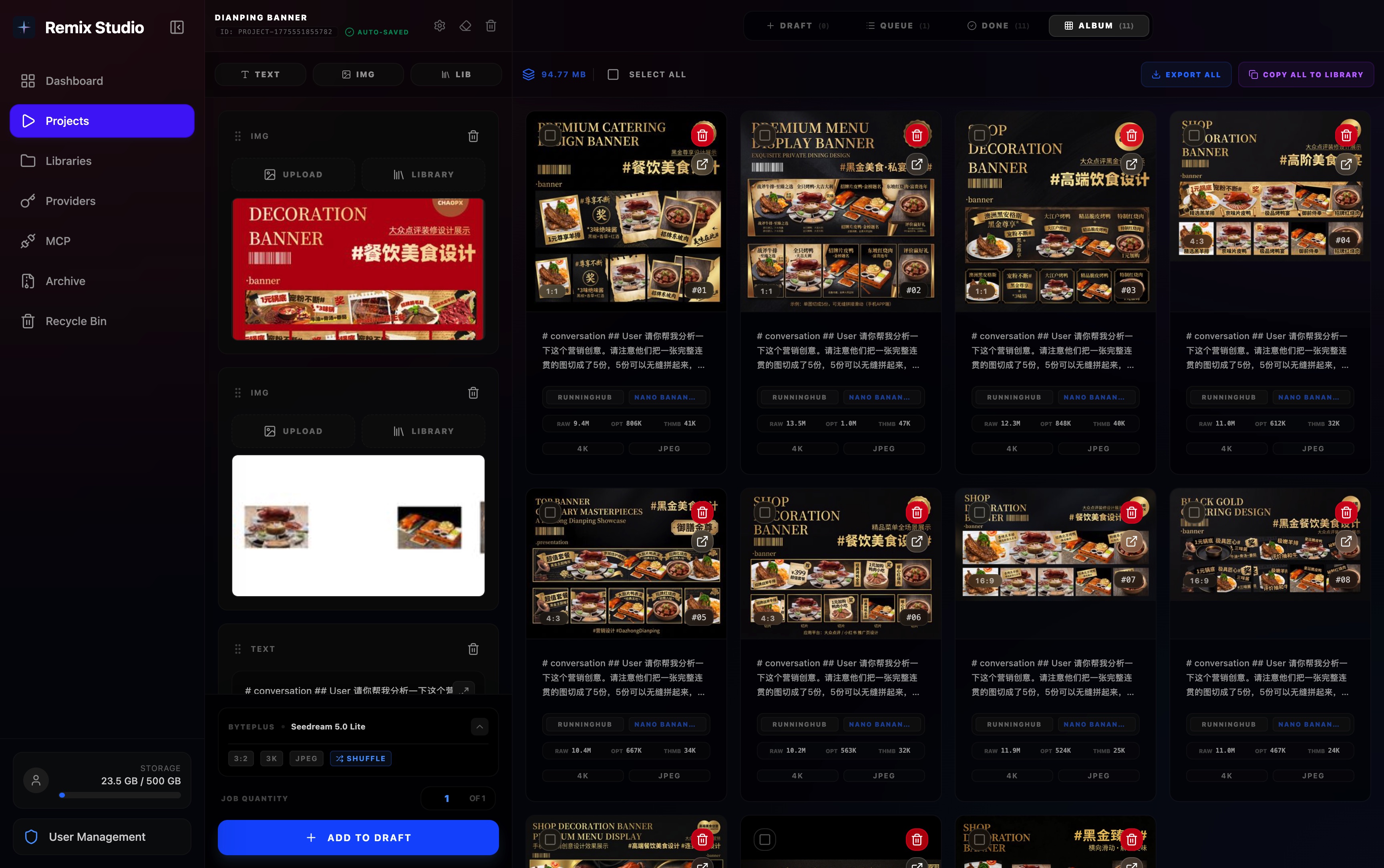
What Remix Studio Is For
- Run text, image, video, and audio generation projects from one workspace.
- Batch your own ComfyUI workflows on an instance you host, or generate images and videos with any checkpoint and LoRA on Civitai.
- Store reusable prompt fragments and reusable media inputs in text, image, video, and audio libraries.
- Turn workflow inputs into large draft sets by enumerating combinations across library-backed and direct inputs.
- Switch to shuffle mode when you want exploratory sampling instead of exhaustive combinations.
- Create drafts in bulk, then queue only the runs you want to execute.
- Manage provider credentials, model profiles, custom aliases, and provider-level concurrency limits.
- Review generated outputs in-app, retry failures, and export finished results as ZIP archives.
- Tag results by hand, inherit tags from the library items they came from, or let a vision model tag albums and libraries for you.
- Get a browser notification when a project's queue is done, and see changes made by the assistant, an MCP client or another tab without reloading.
- Watch albums on a TV, or open them in a file manager over WebDAV or a TV's own media app over DLNA.
- Plan social campaigns, generate post copy in batches, attach reusable media, and schedule posts across connected channels.
- Release completed export packages to connected drives (Google Drive, OneDrive) and storefronts.
- Keep generated assets in S3-compatible storage such as AWS S3 or MinIO.
- Operate the system through the UI, the in-app assistant, or external MCP clients.
- Protect access with auth, admin controls, 2FA, passkeys, and user storage limits.
- Use the app in English, Simplified Chinese, Traditional Chinese, Japanese, Korean, and French.
The Core Workflow
- Save prompt fragments, tags, and media inputs into reusable libraries.
- Use the built-in assistant or an external MCP client to query the same shared tool layer — paste an item's Copy ID for AI reference to point either at exactly the item you mean.
- Read libraries, album summaries, model availability, and storage status before changing project settings.
- Build a project manually or let an assistant assemble and confirm a workflow for you.
- Mix direct inputs with library-backed inputs across text, image, video, and audio slots.
- Expand the workflow into draft permutations, or sample it with shuffle mode.
- Queue all or selected drafts with provider-level concurrency limits.
- Review outputs in the album, tag and filter them, retry failures, export archives, and optionally release them to a connected drive or storefront.
- Turn generated copy and media into campaign posts, schedule them on a timeline, and publish through connected social channels.
Where to Go Next
- New here? Start with Why It Feels Different.
- Want to run it? Jump to Local Development or Docker Deployment.
- Curious how it works? Read Workflows & Combinations.